
Have you missed the beautiful Arnhem region just as much as we have? Then start looking forward to your next visit! We’ve created a photo album that you can easily ‘play’ on your Chromecast’s screensaver.
Follow these simple steps:
- Click on this photo album (it will open automatically in Google Photos)
- Click on the three dots in the top right-hand corner and select ‘view in albums’.
- Then, if you haven’t already done so, log in with your Google account.
- Now open your Google Home app, which you can use to set up your Chromecast, turn on your Chromecast and select ‘Edit Ambient Mode’.
- You can then customise your Chromecast’s ‘screensaver’ by clicking on Google Photos and ticking the photo album you’ve just received from VisitArnhem.
Et voilà! The Arnhem region on your screen. A nice change from those standard Google photos – and plenty of inspiration for your next visit!
Frequently asked questions
By adding Visit Arnhem’s special photo album via Google Photos to your Chromecast’s Ambient Mode, images from the region will automatically appear as a screensaver.
You’ll need a Google account, the Google Home app and a Chromecast to add the photo album to your screen.
The photo album provides inspiration for your next visit to the region and brings a variety of images to your television screen instead of the standard photos from Google.
Find even more inspiration - In our blog articles:
-
The most beautiful country estates in the Arnhem region
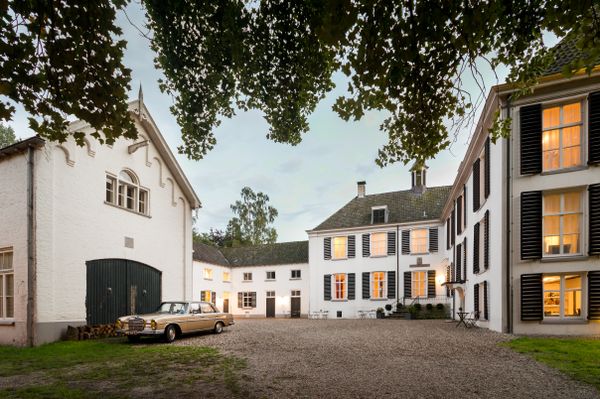
Discover 10 beautiful country estates in the Arnhem region. Stroll past country houses, woods and ancient avenues in Arnhem, De Liemers, the Betuwe and the Veluwezoom.
-
Sinterklaas in the Arnhem region

Discover the grand parades and Sinterklaas celebrations in Rosendael and Doorwerth. Check out the best Sinterklaas outings for 2026 in the Arnhem region with children.
-
8 lovely autumn walks in the Arnhem region
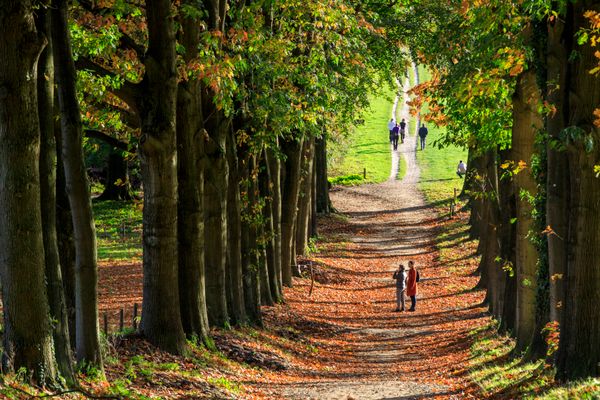
Discover 8 atmospheric autumn walks on the Veluwezoom, in the Liemers and the Betuwe. From colourful forests and old country estates to castles, streams and sweeping landscapes.
-
Top autumn half-term getaways 2026

Leaves are turning brown, and the rain is pouring down. It’s clear – autumn has begun! No idea what to get up to with your children this autumn half-term? We’ve put together a few tips to help you make the most of your break.
-
Staying overnight in the countryside

Fancy a unique overnight stay in the countryside around Arnhem? Discover charming lodges, forest cabins, country estates and waterside accommodation for a relaxing night away surrounded by nature.
-
8 war museums in the Arnhem region
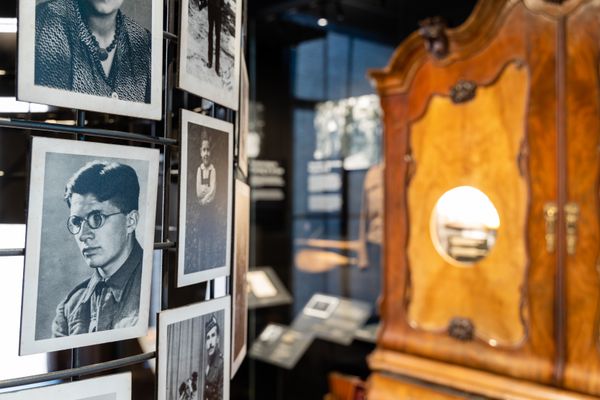
Discover 8 war museums in the Arnhem region and stories about Market Garden, the occupation and freedom.
-
The best museums in the Arnhem region

Looking for a museum in or around Arnhem? Discover the finest museums in the Arnhem region. From Museum Arnhem and the Airborne Museum to hidden gems such as Fort Pannerden and the Liemers Museum. Here are 10 tips.
-
Nature reserves in the Arnhem region

Fancy a day’s walking or cycling in the Arnhem region? There are several beautiful nature reserves to be found in the Arnhem region. We’ve put together an overview of a number of them.
-
Here’s where to spot the most beautiful birds in the Arnhem region

Where can you go birdwatching in Gelderland? The Arnhem region is one of the most beautiful places for birdwatching. From the floodplains along the Rhine to the woods and heathland of Veluwezoom National Park: dozens of bird species live here all year round.
-
5 tips for picnics in and around Arnhem

Spring is the perfect season to set off on a cycle ride. Pack a basket full of tasty treats for the journey and hop off your bike after a long ride.
-
The best tips for the 2026 summer holidays in Arnhem

The summer holidays are the perfect time to get out and about. You’ll have weeks to discover the best spots in Arnhem. There’s plenty to do again this summer. We’ve rounded up the best ones for you!
-
Discover the Spijkerkwartier in Arnhem: history and great places to visit

The Spijkerkwartier used to be known as Arnhem’s red-light district. These days, however, it is one of the city’s greenest and most creative neighbourhoods.
-
10 places to enjoy ice cream in the Arnhem region

Fancy some ice cream? The Arnhem region is home to plenty of lovely ice-cream parlours: from traditional Italian gelato to unique flavours and waterside terraces. Discover 10 delicious spots.
-
Cooling off in the Arnhem region

As soon as the temperature rises, you’ll find plenty of refreshing getaways in the Arnhem region. From cool cellars and museums to the ‘Bedriegertjes’ at Rosendael Castle and Burgers’ Ocean: discover lovely spots to escape the heat for a while.
-
Swimming in the Arnhem region

Do you swim ten lengths in the pool in no time, or are you more likely to be found on a towel in the sun on the beach? The Arnhem region has a whole host of swimming spots for every water lover and sun worshipper to enjoy the water to the full.
-
A day out in Arnhem city centre

This article is for anyone planning a day out in Arnhem city centre. Here you’ll find three itineraries: for a cultural, romantic or family day out. From the Eusebius Church and the ‘7 Straatjes’ to Burgers’ Zoo and lovely spots for dinner or a night at the theatre.
-
June: Fashion Month

June Fashion Month Arnhem brings together fashion, design and creativity at various locations across the city. Discover exhibitions, shop-window tours, performances, fashion films and unique collections by Arnhem-based creators and designers.
-
Things to do over Whitsun 2026 in the Arnhem region

Whitsun is just round the corner! And for the best activities over the Whitsun weekend, the Arnhem region is the place to be! We’ve picked out some great activities for you so you don’t have to sit still!
-
Commemoration and celebration in the Arnhem region

4 and 5 May take on extra significance in the Arnhem region. Discover where you can pay your respects, celebrate freedom and experience the stories behind these special days in the region.
-
What’s there to do around the GelreDome?

From the first drink to the final song: make the most of your concert at the GelreDome. Discover what’s on in Arnhem and turn it into a full day out or a weekend break.
-
Ascension Day weekend activities in the Arnhem region

What to do on Ascension Day in Arnhem? We’ve rounded up the best Ascension weekend activities, such as the traditional ‘dauwtrappen’ and the funfair in the Arnhem region.
-
The best activities for the May half-term holidays in the Arnhem region

What to do in the Arnhem region during the May holidays? We’ve put together a list of the best tips for the May holidays with children! Fun days out in the region for the whole family.
-
Here’s where you can buy delicious local produce

The aroma of freshly baked artisan bread, fresh buffalo mozzarella, sweet fruit and a romantic, generously filled glass of red wine. That’s pure indulgence for all your taste buds. Many delicious local specialities are produced in the Arnhem region.
-
What’s on at Easter?

You’ve got a long weekend off, the countryside is turning green again and (hopefully) the spring sunshine is shining. The Easter weekend is perfect for getting out and about. But what’s on? Below you’ll find the best days out in the Arnhem region.
-
Lovely spring walks

The sun is shining again, the trees are coming into leaf and the flowers are blooming once more. In short, it’s time to get out and about again!
-
Why Wageningen? Here’s why!

Seven reasons why you should pay a visit to Wageningen.
-
Peaceful walking routes in the Arnhem region

Are you looking for peaceful walking routes where you can enjoy the countryside, wildlife and fresh air? Read our tips here!
-
Experience the Arnhem region during the spring half-term holidays in 2026

The spring half-term is just around the corner… Fancy a weekend away or planning a day out with the kids? We’ve put together the best tips for the spring half-term in Arnhem and the surrounding area!
-
Winter walks

During the cold and dark winter months, it’s great fun and good for your health to get out and about. The Arnhem region is home to the most beautiful winter walks.
-
Discover the theatres in the cultural city of Arnhem and the surrounding area

It’s no coincidence that Arnhem is known as the cultural capital of the east; the range of cultural activities per inhabitant is unrivalled. And this extends far beyond the city limits.